
Crash Switch Mouse
🎮 The Bumper
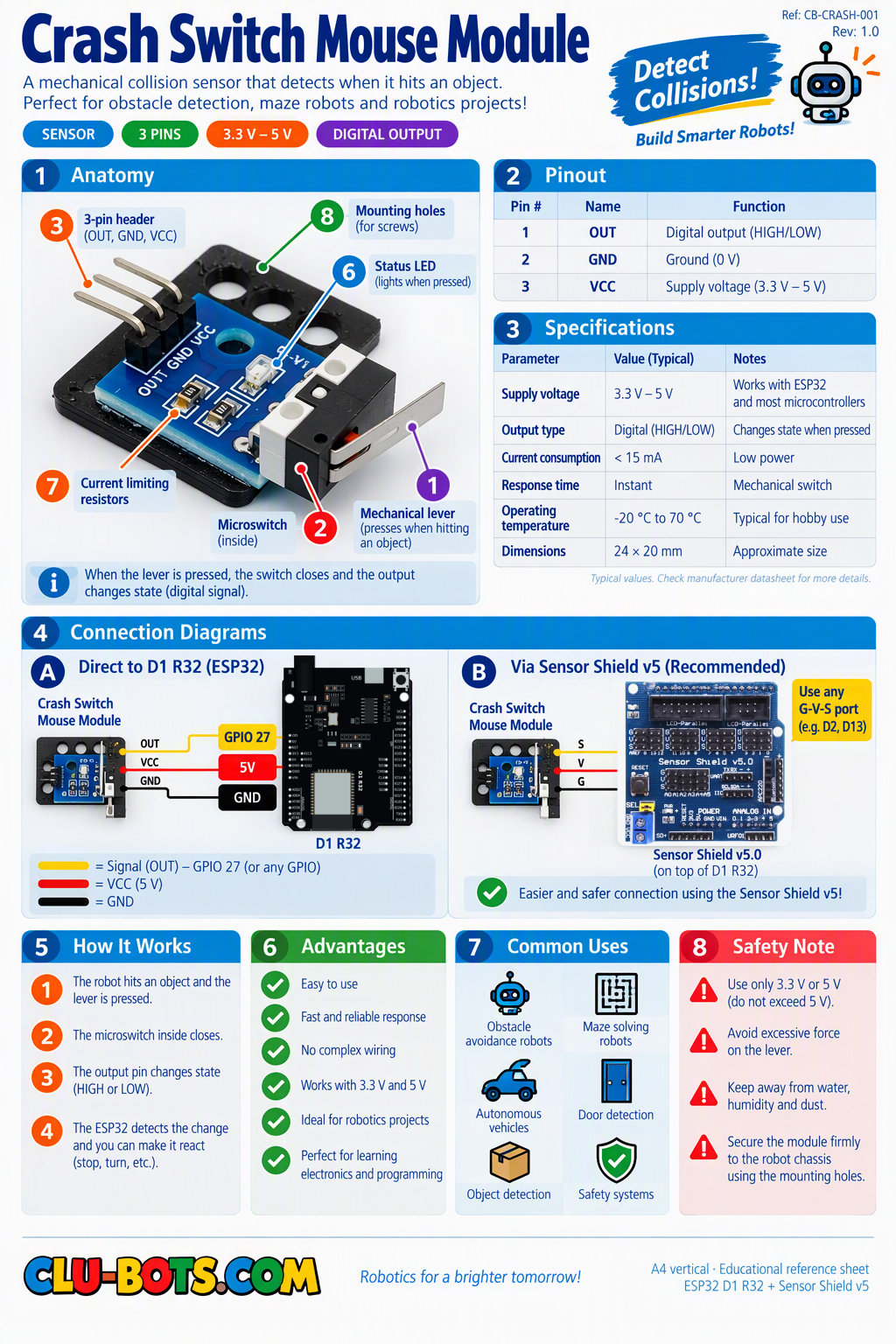
Module Goal: give your robot a sense of touch on its skin. The crash sensor is the bumper of every real robot vacuum and every battle robot and today you will build a competition with it.
Goal:
discover your crash sensor's personality resting value and pressed value.
Concepts:
Digital Input · Prediction · Component Personality
Before running: prediction time this sensor has a springy metal whisker. When you tap the bumper, does the signal go to 1 or to 0? Write your guess, then run.
🔍 Detective rule reminder: this is a mechanical switch family, just like the button so expect it to be inverted too. Exercise 6.1 exists precisely to confirm its personality. Never assume: read first.
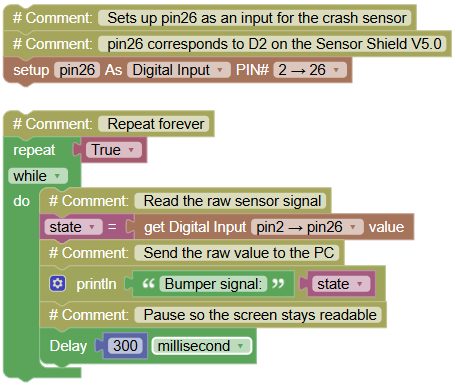
import machine  # Library that controls the board's pins
import time  # Library for pauses

# Sets up pin26 as an input for the crash sensor
# pin26 corresponds to D2 on the Sensor Shield V5.0
pin26 = machine.Pin(26, machine.Pin.IN)

while True:  # Repeat forever
    state = pin26.value()  # Read the raw sensor signal
    print("Bumper signal:", state)  # Send the raw value to the PC
    time.sleep_ms(300)  # Pause so the screen stays readable
Serial Monitor (tap the whisker gently with your finger):
Bumper signal: 1
Bumper signal: 1
Bumper signal: 0 ← CRASH! (you tapped it)
Bumper signal: 1 ← back to rest
💡 Note: if your sensor shows 1 resting and 0 on crash, it belongs to the same family as your button active LOW. The whole digital-input world works this way in your kit. From now on, when you meet a NEW switch-type sensor, you already know the ritual: connect to D2, read the raw values, note its personality, then build. You are collecting sensor personalities like Pokémon cards.
🎮 INTERPRET
Goal:
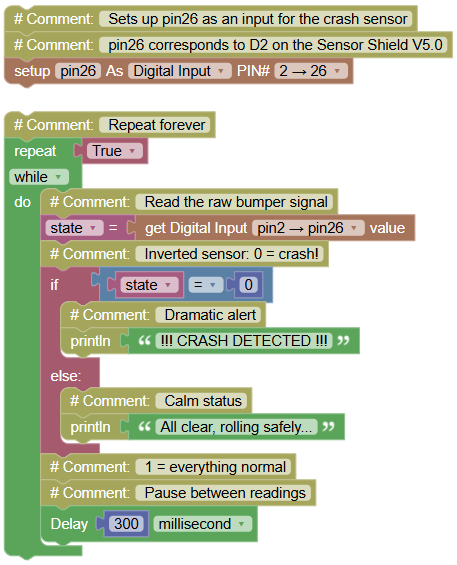
turn the raw signal into a dramatic message.
Concepts:
Conditional Translation · Event Language
import machine  # Library that controls the board's pins
import time  # Library for pauses

# Sets up pin26 as an input for the crash sensor
# pin26 corresponds to D2 on the Sensor Shield V5.0
pin26 = machine.Pin(26, machine.Pin.IN)

while True:  # Repeat forever
    state = pin26.value()  # Read the raw bumper signal
    if state == 0:  # Inverted sensor: 0 = crash!
        print("!!! CRASH DETECTED !!!")  # Dramatic alert
    else:  # 1 = everything normal
        print("All clear, rolling safely...")  # Calm status
    time.sleep_ms(300)  # Pause between readings
Serial Monitor:
All clear, rolling safely...
All clear, rolling safely...
!!! CRASH DETECTED !!!
All clear, rolling safely...
💡 Note: same two numbers as the button (0 and 1) but look how different the story feels. All clear... vs !!! CRASH !!!: the data is identical, the interpretation is everything. A robot vacuum does exactly this: same switch, but instead of printing, it stops the motors and backs up. Words today, actions in Level 2.
🎮 Only New Crashes
Goal:
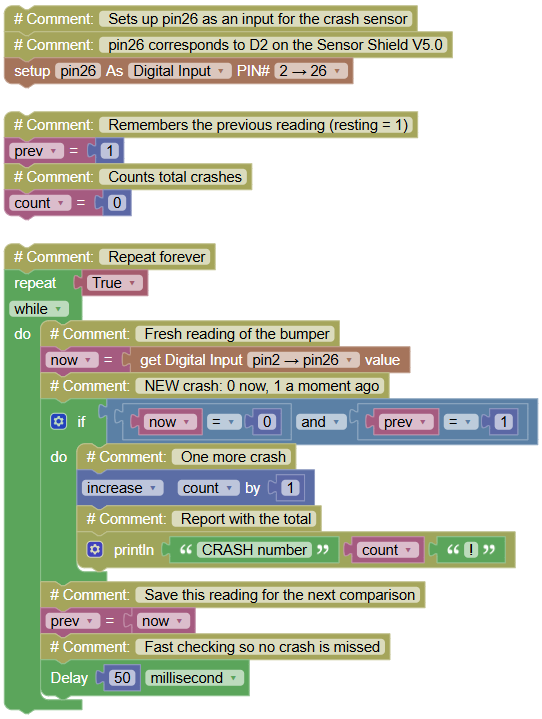
report each crash exactly once, with a running counter.
Concepts:
Edge Detection · Counter · Signal Memory
import machine  # Library that controls the board's pins
import time  # Library for pauses

# Sets up pin26 as an input for the crash sensor
# pin26 corresponds to D2 on the Sensor Shield V5.0
pin26 = machine.Pin(26, machine.Pin.IN)

prev = 1  # Remembers the previous reading (resting = 1)
count = 0  # Counts total crashes

while True:  # Repeat forever
    now = pin26.value()  # Fresh reading of the bumper
    if now == 0 and prev == 1:  # NEW crash: 0 now, 1 a moment ago
        count += 1  # One more crash
        print("CRASH number", count, "!")  # Report with the total
    prev = now  # Save this reading for the next comparison
    time.sleep_ms(50)  # Fast checking so no crash is missed
Serial Monitor (three bumps silence while holding the whisker down):
CRASH number 1 !
CRASH number 2 !
CRASH number 3 !
💡 Note: identical edge-detection skeleton to Exercise 5.3 only the words changed. This is not laziness: this is reusable engineering. You now own a proven pattern: prev memory + AND comparison + counter. Deploy it on ANY on/off sensor in your kit and it works instantly. Engineers call these patterns "design patterns" you just collected your second one.
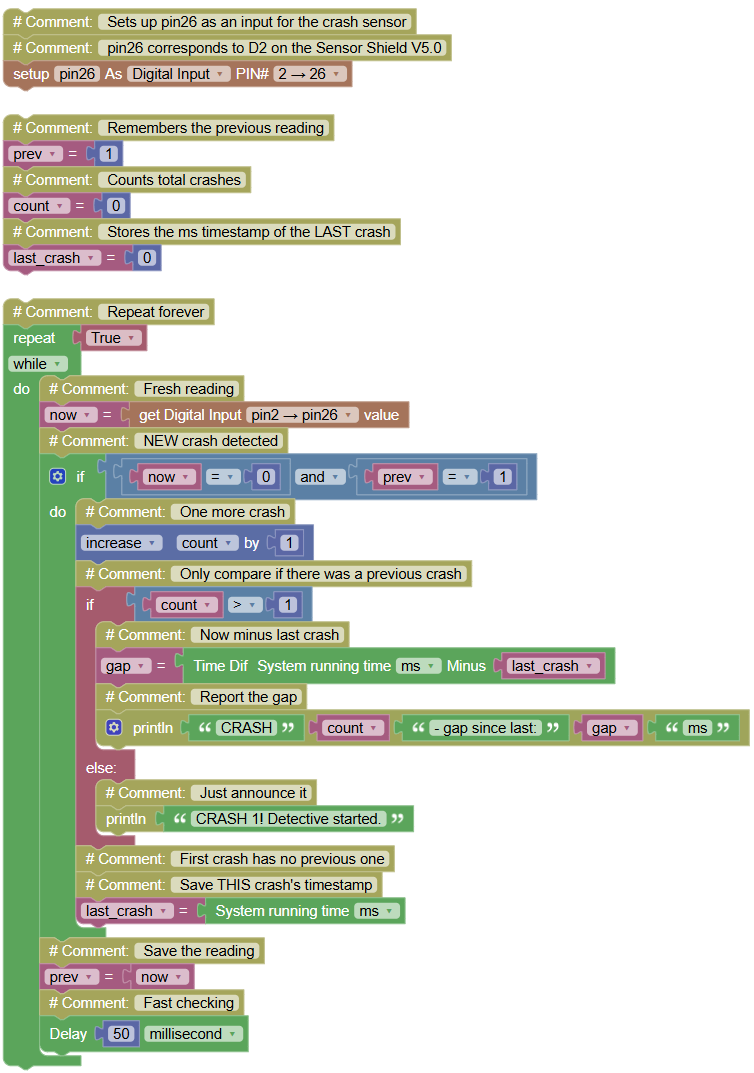
🎮 The Crash Detective
Goal:
count crashes AND report the time elapsed since the previous crash.
Concepts:
Event Timing · Timestamp Memory · ticks_diff
import machine  # Library that controls the board's pins
import time  # Library for pauses and time

# Sets up pin26 as an input for the crash sensor
# pin26 corresponds to D2 on the Sensor Shield V5.0
pin26 = machine.Pin(26, machine.Pin.IN)

prev = 1  # Remembers the previous reading
count = 0  # Counts total crashes
last_crash = 0  # Stores the ms timestamp of the LAST crash

while True:  # Repeat forever
    now = pin26.value()  # Fresh reading
    if now == 0 and prev == 1:  # NEW crash detected
        count += 1  # One more crash
        if count > 1:  # Only compare if there was a previous crash
            gap = time.ticks_diff(time.ticks_ms(), last_crash)  # Now minus last crash
            print("CRASH", count, "- gap since last:", gap, "ms")  # Report the gap
        else:  # First crash has no previous one
            print("CRASH 1! Detective started.")  # Just announce it
        last_crash = time.ticks_ms()  # Save THIS crash's timestamp
    prev = now  # Save the reading
    time.sleep_ms(50)  # Fast checking
Serial Monitor:
CRASH 1! Detective started.
CRASH 2 - gap since last: 1830 ms
CRASH 3 - gap since last: 240 ms
CRASH 4 - gap since last: 3712 ms
💡 Note: a second variable joins the team: last_crash stores a timestamp, not a signal. The gap between crashes tells a story 240 ms means rapid bumps (panic!), 3712 ms means calm exploration. This is how earthquake detectors and car black boxes work: events + time between events = evidence. You are now writing programs that analyze history, not just the present.
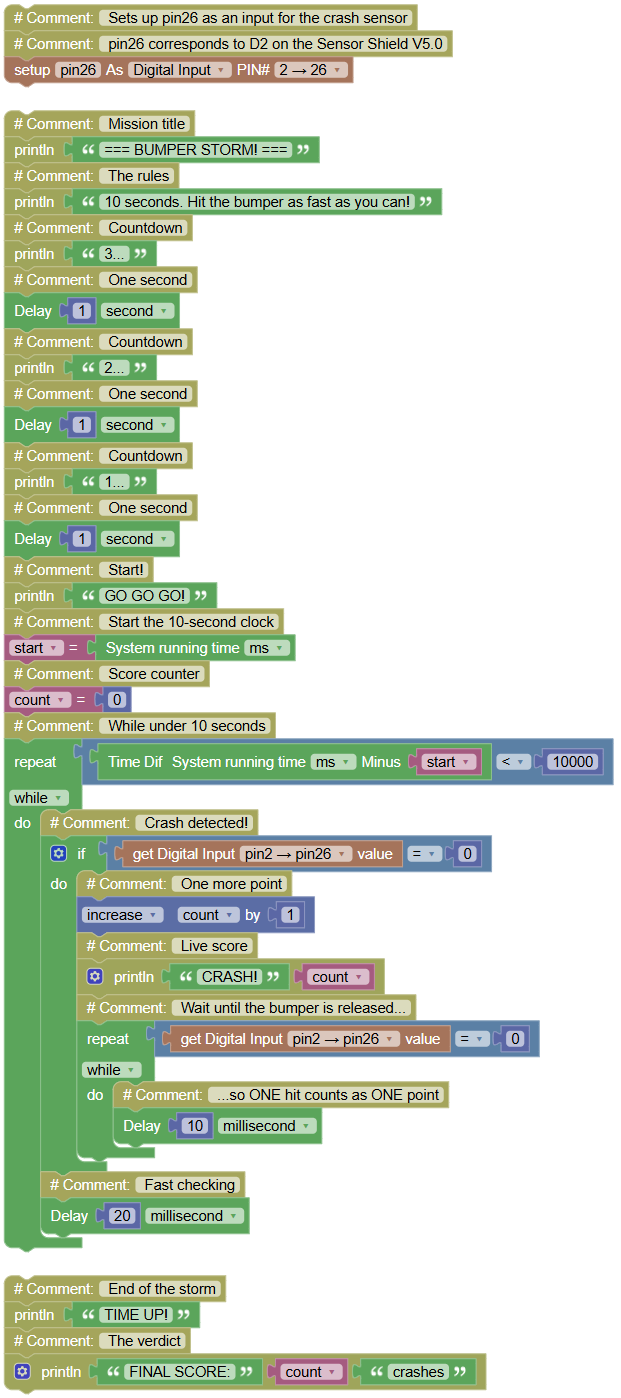
🎮 Bumper Storm
Goal:
a 10-second challenge hit the bumper as many times as you can. Highest score in class wins.
Concepts:
Countdown Window · Competition Program · Nested Waiting
import machine  # Library that controls the board's pins
import time  # Library for pauses and time

# Sets up pin26 as an input for the crash sensor
# pin26 corresponds to D2 on the Sensor Shield V5.0
pin26 = machine.Pin(26, machine.Pin.IN)

print("=== BUMPER STORM! ===")  # Mission title
print("10 seconds. Hit the bumper as fast as you can!")  # The rules
print("3...")  # Countdown
time.sleep(1)  # One second
print("2...")  # Countdown
time.sleep(1)  # One second
print("1...")  # Countdown
time.sleep(1)  # One second
print("GO GO GO!")  # Start!
start = time.ticks_ms()  # Start the 10-second clock
count = 0  # Score counter
while time.ticks_diff(time.ticks_ms(), start) < 10000:  # While under 10 seconds
    if pin26.value() == 0:  # Crash detected!
        count += 1  # One more point
        print("CRASH!", count)  # Live score
        while pin26.value() == 0:  # Wait until the bumper is released...
            time.sleep_ms(10)  # ...so ONE hit counts as ONE point
    time.sleep_ms(20)  # Fast checking
print("TIME UP!")  # End of the storm
print("FINAL SCORE:", count, "crashes")  # The verdict
Serial Monitor:
=== BUMPER STORM! ===
10 seconds. Hit the bumper as fast as you can!
3...
2...
1...
GO GO GO!
CRASH! 1
CRASH! 2
CRASH! 3 ...
TIME UP!
FINAL SCORE: 14 crashes
💡 Note: two new ideas live in this mission. ① The main loop's condition is a clock comparison: while gap < 10000 the program decides when to end based on time, not on you. ② The inner waiting loop (while value == 0) is a point-protector: without it, one long hit would count as hundreds of points! Competitive games need fair rules, and fair rules are made of code. Write the class ranking on the whiteboard and notice your mission used ONLY things you already knew: edge detection, ticks_diff, counters. Missions are old knowledge, assembled with purpose.