
FINAL PROJECT
Level 1 ends the only way it could: every family you mastered sensor, screen, radio, serial narration assembled into one machine that lives on two boards. This is not an exercise. It is the project you demo, the one families and classmates ask about.
The product, in one breath: a board in the window measures temperature and humidity and broadcasts the numbers by radio; a board on your desk receives them, shows them on an OLED face, sounds the alarm when conditions break the limits, and reports the whole story on your PC. Two boards. One system. Zero wires between them.
Roles and gear:
| Board A STATION (window) | Board B CONSOLE (desk) | |
|---|---|---|
| Hardware | D1 R32 + DHT11 | D1 R32 + OLED 0.96" |
| PC? | No power bank (like the beacon) | Yes the narrator |
| Program | 35.A (four stages) | 35.B (four stages) |
| You already built every piece in | Modules 20 + 34 | Modules 23/24 + 34 |
🔍 One-PC workflow: ① upload 35.A to Board A (its Serial prints are visible only at upload time brief check, fine), move it to the power bank, ② plug Board B in, upload 35.B B's PC becomes the mission control screen for the rest of the class.
The four-stage build the course's most important habit: don't write the final program. Grow it. Stage 1 works → test → Stage 2 → test → Stage 3 → test → Stage 4. Each stage is a working program; each test is a mini-celebration.
Both radios: ESPNow_radio.set_channel(channel=1) the same channel is the invisible wire between them.
📦 THE STAGE MAP (build in this order)
| Stage | You build | The test that proves it |
|---|---|---|
| 1 | DHT11 reads on Board A | Numbers change when you breathe on it |
| 2 | ESP-NOW broadcasts the data | Receiver catches it (cable-swap test) |
| 3 | OLED shows the data on Board B | The face mirrors the weather |
| 4 | Alarm logic + records + full console | Heat/humidity alerts fire on demand |
🎮 STAGE 1 The Station Wakes Up (Board A)
Goal:
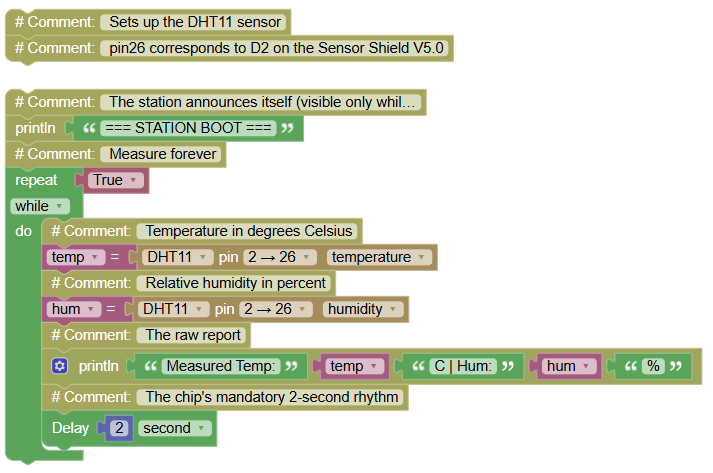
the DHT11 reads temperature and humidity on the window board, narrated on Serial.
Concepts:
Protocol Sensor Recap · Reading Rhythm · Standalone Station
import dhtx	# Controls the temperature and humidity sensor
import time	# Controls pauses and timing

# Sets up the DHT11 sensor
# pin26 corresponds to D2 on the Sensor Shield V5.0

print("=== STATION BOOT ===")	# The station announces itself (visible only while on USB)
while True:	# Measure forever
    temp = dhtx.DHT11(26).temperature()	# Temperature in degrees Celsius
    hum = dhtx.DHT11(26).humidity()	# Relative humidity in percent
    print("Measured Temp:", temp, "C | Hum:", hum, "%")	# The raw report
    time.sleep(2)	# The chip's mandatory 2-second rhythm
✅ Stage 1 test (while still on USB): breathe on the sensor → both numbers jump. Then move the board to the power bank and place it near the window. The station is now autonomous.
💡 Note: exactly your Module 20 program unchanged, on its own board, on a battery. The first brick. Now: make it fly.
🎮 STAGE 2 The Data Learns to Fly (Board A upgrades)
Goal:
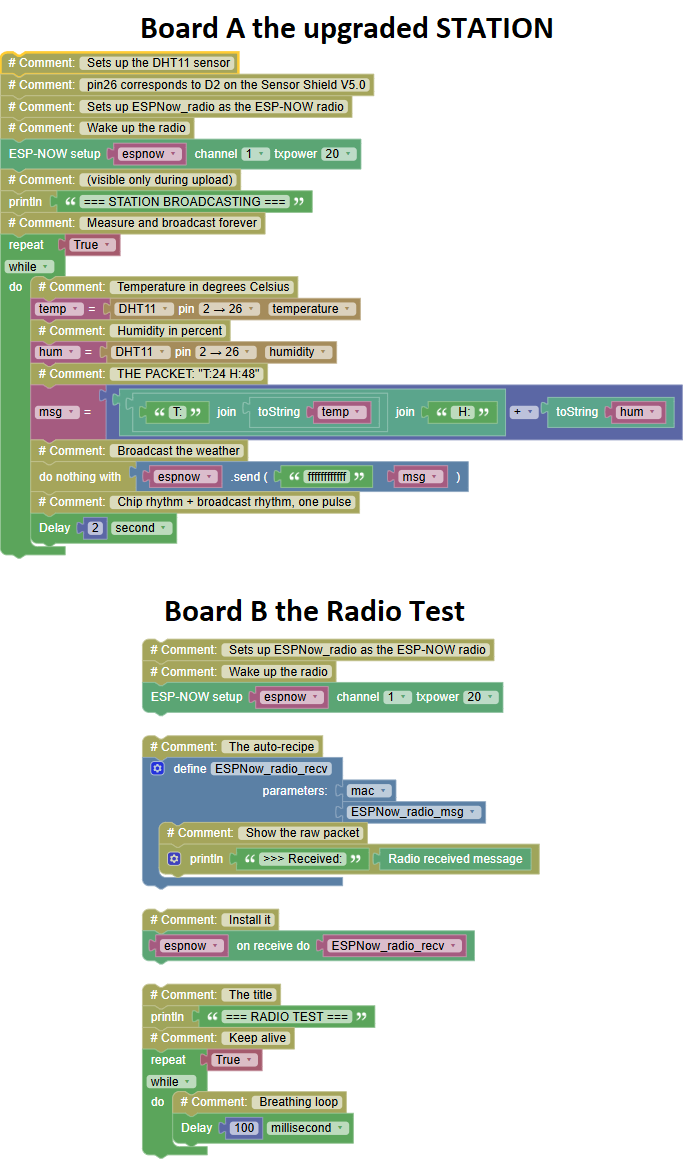
every measurement gets broadcast over ESP-NOW as a named data packet.
Concepts:
Structured Messages · Label:Value Packets · Broadcasting Sensor Data
Board A the upgraded STATION:
import dhtx	# Controls the temperature and humidity sensor
import radio	# Controls the ESP-NOW radio
import time	# Controls pauses and timing
# Sets up the DHT11 sensor
# pin26 corresponds to D2 on the Sensor Shield V5.0
# Sets up ESPNow_radio as the ESP-NOW radio
espnow = radio.ESPNow(channel=1, txpower=20)	# Wake up the radio
print("=== STATION BROADCASTING ===")	# (visible only during upload)
while True:	# Measure and broadcast forever
    temp = dhtx.DHT11(26).temperature()	# Temperature in degrees Celsius
    hum = dhtx.DHT11(26).humidity()	# Humidity in percent
    msg = "T:" + str(temp) + " H:" + str(hum)	# THE PACKET: "T:24 H:48"
    espnow.send('ffffffffffff', msg)	# Broadcast the weather
    time.sleep(2)	# Chip rhythm + broadcast rhythm, one pulse
Board B the Radio Test (temporary, cable-swap check):
import radio	# Controls the ESP-NOW radio
import time	# Controls pauses and timing

# Sets up ESPNow_radio as the ESP-NOW radio
espnow = radio.ESPNow(channel=1, txpower=20)	# Wake up the radio

def ESPNow_radio_recv(mac, ESPNow_radio_msg):	# The auto-recipe
    print(">>> Received:", ESPNow_radio_msg)	# Show the raw packet

espnow.recv_cb(ESPNow_radio_recv)	# Install it

print("=== RADIO TEST ===")	# The title
while True:	# Keep alive
    time.sleep_ms(100)	# Breathing loop
✅ Stage 2 test (cable-swap): plug Board B, run the test, and watch "T:24 H:48" arrive every 2 seconds. Unplug the receiver briefly → GAP warnings from your detective instinct would be a bonus. Restore. The weather flies.
💡 Note: the packet format "T:24 H:48" is a design decision: short (radio packets like small), labeled (the receiver knows which number is which), and human-readable (you can debug with your eyes). When two programs exchange data, the FORMAT is a contract change it on one side only, and the system breaks. Write the contract on paper before coding the receiver.
🎮 STAGE 3 The Console Gets a Face (Board B upgrades)
Goal:
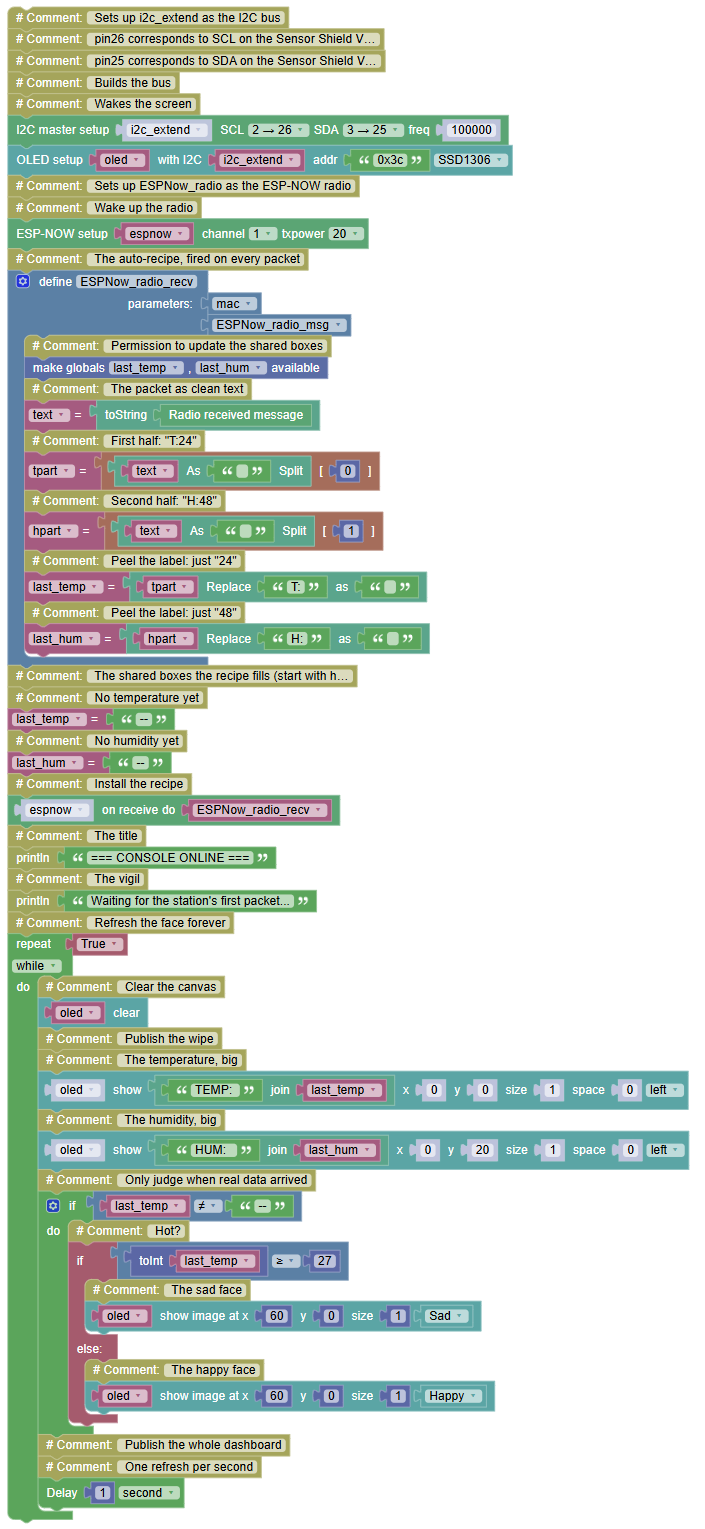
the OLED shows temperature, humidity and a mood the weather readable at a glance from across the room.
Concepts:
Packet Parsing · Splitting Text · Display Dashboard · Emoji Moods
BOARD B the CONSOLE with a face:
import radio	# Controls the ESP-NOW radio
import machine	# Controls the board's pins
import oled128x64	# Controls the OLED screen
import time	# Controls pauses and timing
from expression_picture import Happy	# Brings the Happy image
from expression_picture import Sad	# Brings the Sad image

# Sets up i2c_extend as the I2C bus
# pin26 corresponds to SCL on the Sensor Shield V5.0
# pin25 corresponds to SDA on the Sensor Shield V5.0
i2c_extend = machine.SoftI2C(scl = machine.Pin(26), sda = machine.Pin(25), freq = 100000)	# Builds the bus
oled = oled128x64.OLED(i2c_extend,address='0x3c',font_address=0x3A0000)	# Wakes the screen

# Sets up ESPNow_radio as the ESP-NOW radio
espnow = radio.ESPNow(channel=1, txpower=20)	# Wake up the radio

def ESPNow_radio_recv(mac, ESPNow_radio_msg):	# The auto-recipe, fired on every packet
    global last_temp, last_hum	# Permission to update the shared boxes
    text = str(ESPNow_radio_msg)	# The packet as clean text
    tpart = text.split(" ")[0]	# First half: "T:24"
    hpart = text.split(" ")[1]	# Second half: "H:48"
    last_temp = tpart.replace("T:", "")	# Peel the label: just "24"
    last_hum = hpart.replace("H:", "")	# Peel the label: just "48"

# The shared boxes the recipe fills (start with honest defaults)
last_temp = "--"	# No temperature yet
last_hum = "--"	# No humidity yet

espnow.recv_cb(ESPNow_radio_recv)	# Install the recipe

print("=== CONSOLE ONLINE ===")	# The title
print("Waiting for the station's first packet...")	# The vigil
while True:	# Refresh the face forever
    oled.fill(0)	# Clear the canvas
    oled.show()	# Publish the wipe
    oled.shows("TEMP: " + last_temp, x=0, y=0,size = 1,space = 0,center = False)	# The temperature, big
    oled.shows("HUM:  " + last_hum, x=0, y=20,size = 1,space = 0,center = False)	# The humidity, big
    if last_temp != "--":	# Only judge when real data arrived
        if int(last_temp) >= 27:	# Hot?
            oled.image(Sad, x=60, y=0)	# The sad face
        else:	# Pleasant
            oled.image(Happy, x=60, y=0)	# The happy face
    oled.show()	# Publish the whole dashboard
    time.sleep(1)	# One refresh per second
✅ Stage 3 test: the OLED shows TEMP: 24 / HUM: 48 and a Happy face. Walk to the station, breathe on the DHT11, run back: within seconds the console's numbers jump and if your breath is warm enough the face flips to Sad. The window and the desk are now one machine.
💡 Note: the new brick is packet parsing split(" ") cuts the packet at every space, replace("T:","") peels the label off the number. You met both in the Text category; here they become the decoder ring of your protocol. And notice the guard if last_temp != "--": the face only judges REAL data before the first packet arrives, the display shows dashes and keeps its opinion to itself. Honest screens, like honest programs, don't guess.
🎮 STAGE 4 The Full Console: Alarm, Records, and the Narrator (final)
Goal:
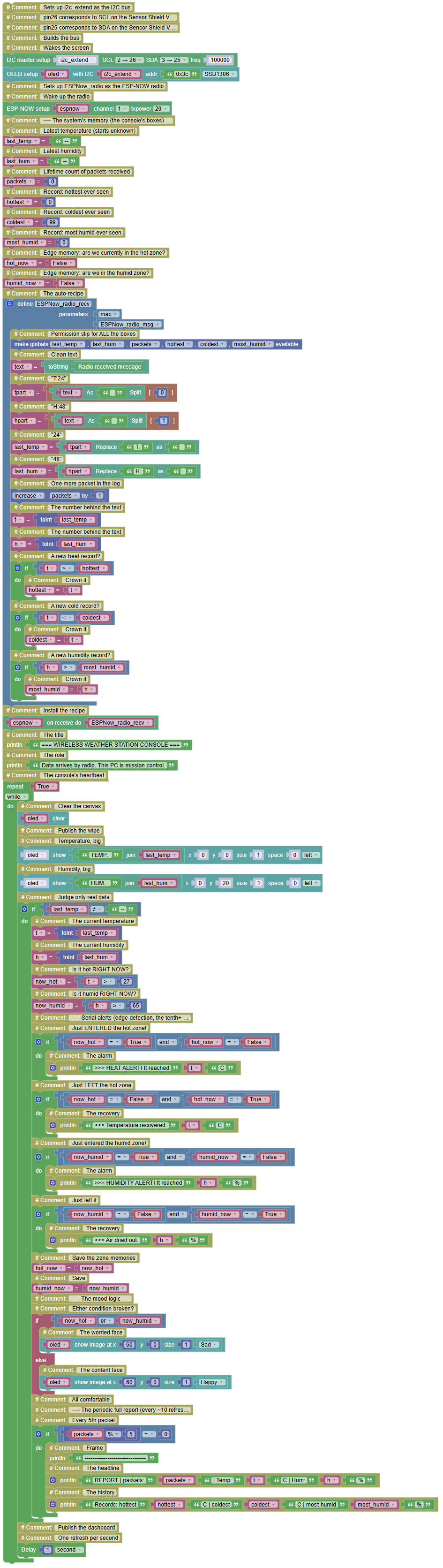
everything. Threshold alarms with edge detection, lifetime records, packet counting, gap warnings, and the complete Serial narration mission control for the whole class.
Concepts:
Alert + Recovery · Lifetime Records · System Assembly · The Level 1 Synthesis
BOARD A the STATION (final, unchanged from Stage 2):
(The Stage 2 program is already the final station. Upload once, power bank, window. Done.)
BOARD B the CONSOLE (final):
import radio	# Controls the ESP-NOW radio
import machine	# Controls the board's pins
import oled128x64	# Controls the OLED screen
import time	# Controls pauses and timing
from expression_picture import Happy	# Brings the Happy image
from expression_picture import Sad	# Brings the Sad image

# Sets up i2c_extend as the I2C bus
# pin26 corresponds to SCL on the Sensor Shield V5.0
# pin25 corresponds to SDA on the Sensor Shield V5.0
i2c_extend = machine.SoftI2C(scl = machine.Pin(26), sda = machine.Pin(25), freq = 100000)	# Builds the bus
oled = oled128x64.OLED(i2c_extend,address='0x3c',font_address=0x3A0000)	# Wakes the screen

# Sets up ESPNow_radio as the ESP-NOW radio
espnow = radio.ESPNow(channel=1, txpower=20)	# Wake up the radio

# ---- The system's memory (the console's boxes) ----
last_temp = "--"	# Latest temperature (starts unknown)
last_hum = "--"	# Latest humidity
packets = 0	# Lifetime count of packets received
hottest = 0	# Record: hottest ever seen
coldest = 99	# Record: coldest ever seen
most_humid = 0	# Record: most humid ever seen
hot_now = False	# Edge memory: are we currently in the hot zone?
humid_now = False	# Edge memory: are we in the humid zone?

def ESPNow_radio_recv(mac, ESPNow_radio_msg):	# The auto-recipe
    global last_temp, last_hum, packets, hottest, coldest, most_humid	# Permission slip for ALL the boxes
    text = str(ESPNow_radio_msg)	# Clean text
    tpart = text.split(" ")[0]	# "T:24"
    hpart = text.split(" ")[1]	# "H:48"
    last_temp = tpart.replace("T:", "")	# "24"
    last_hum = hpart.replace("H:", "")	# "48"
    packets += 1	# One more packet in the log
    t = int(last_temp)	# The number behind the text
    h = int(last_hum)	# The number behind the text
    if t > hottest:	# A new heat record?
        hottest = t	# Crown it
    if t < coldest:	# A new cold record?
        coldest = t	# Crown it
    if h > most_humid:	# A new humidity record?
        most_humid = h	# Crown it

espnow.recv_cb(ESPNow_radio_recv)	# Install the recipe

print("=== WIRELESS WEATHER STATION CONSOLE ===")	# The title
print("Data arrives by radio. This PC is mission control.")	# The role
while True:	# The console's heartbeat
    oled.fill(0)	# Clear the canvas
    oled.show()	# Publish the wipe
    oled.shows("TEMP: " + last_temp, x=0, y=0,size = 1,space = 0,center = False)	# Temperature, big
    oled.shows("HUM:  " + last_hum, x=0, y=20,size = 1,space = 0,center = False)	# Humidity, big
    if last_temp != "--":	# Judge only real data
        t = int(last_temp)	# The current temperature
        h = int(last_hum)	# The current humidity
        now_hot = t >= 27	# Is it hot RIGHT NOW?
        now_humid = h >= 65	# Is it humid RIGHT NOW?
        # ---- Serial alerts (edge detection, the tenth+ deployment) ----
        if now_hot == True and hot_now == False:	# Just ENTERED the hot zone!
            print(">>> HEAT ALERT! It reached", t, "C")	# The alarm
        if now_hot == False and hot_now == True:	# Just LEFT the hot zone
            print(">>> Temperature recovered:", t, "C")	# The recovery
        if now_humid == True and humid_now == False:	# Just entered the humid zone!
            print(">>> HUMIDITY ALERT! It reached", h, "%")	# The alarm
        if now_humid == False and humid_now == True:	# Just left it
            print(">>> Air dried out:", h, "%")	# The recovery
        hot_now = now_hot	# Save the zone memories
        humid_now = now_humid	# Save
        # ---- The mood logic ----
        if now_hot or now_humid:	# Either condition broken?
            oled.image(Sad, x=60, y=0)	# The worried face
        else:	# All comfortable
            oled.image(Happy, x=60, y=0)	# The content face
        # ---- The periodic full report (every ~10 refreshes) ----
        if packets % 5 == 0:	# Every 5th packet
            print("--------------------------------")	# Frame
            print("REPORT | packets:", packets, "| Temp:", t, "C | Hum:", h, "%")	# The headline
            print("Records: hottest", hottest, "C | coldest", coldest, "C | most humid", most_humid, "%")	# The history
    oled.show()	# Publish the dashboard
    time.sleep(1)	# One refresh per second
Serial Monitor Board B, mission control (cup your hands around the station's sensor... watch from your desk):
=== WIRELESS WEATHER STATION CONSOLE ===
Data arrives by radio. This PC is mission control.
>>> HUMIDITY ALERT! It reached 71 %
>>> HEAT ALERT! It reached 28 C
REPORT | packets: 5 | Temp: 28 C | Hum: 71 %
Records: hottest 28 C | coldest 24 C | most humid 71 %
Temperature recovered: 26 C
Air dried out: 52 %
✅ Stage 4 test the full mission, in order:
- Power on both boards. Console shows `--` and stays quiet (honest screen).
- First packet lands → numbers appear, Happy face
- Breathe on the station → within seconds: HUMIDITY ALERT on the PC, Sad face on the OLED.
- Step back → recovery messages, Happy face returns.
- Ask the console for history: records hold their values all session.
💡 Note the graduation note: walk through the program and name every pattern as it appears the reading rhythm (Module 20), the broadcast (34.2), the callback (34.2), `global` (34.3), packet parsing (Stage 3), the edge-detection alarms (Modules 8→31, roughly twelfth deployment), the records (Module 20), the honest screen (today). **Nothing new was invented** the station is your entire course, arranged. That arrangement skill is the real diploma. Then make it yours: add the packet-loss detective (34.3) to the console, put a buzzer on the alarm (Module 4), add a second station and watch two data streams merge into one console. When the demo day comes, place the station by the window, the console on the teacher's desk, and tell the story: *"Two boards. One measures the air. One shows it. They speak by radio. Every single part, we built from a blinking LED.
🎮
Level 1 Complete 🎓
| Family | Modules | The flagship |
|---|---|---|
| The Brain + Light & Sound | 1–4 | Mini-Assistant, SOS |
| Digital Inputs | 5–11 | Reflex Game, Security System |
| Analog Inputs | 12–18 | Magic Bar, Shadow Detective |
| Measurement | 19–21 | Parking Sensor, Electronic Dice |
| Displays | 22–24 | Emoji Messenger, RPS Showdown |
| Human Controls | 25 | Grid Voyager |
| Motors | 26–29 | PC-Driven Car |
| Communication | 30–34 | Wireless Joystick Remote |
| Integration | 35 | The Wireless Weather Station |