
D1 R32 Bluetooth
🎮 The Robot Telephone - CONNECT
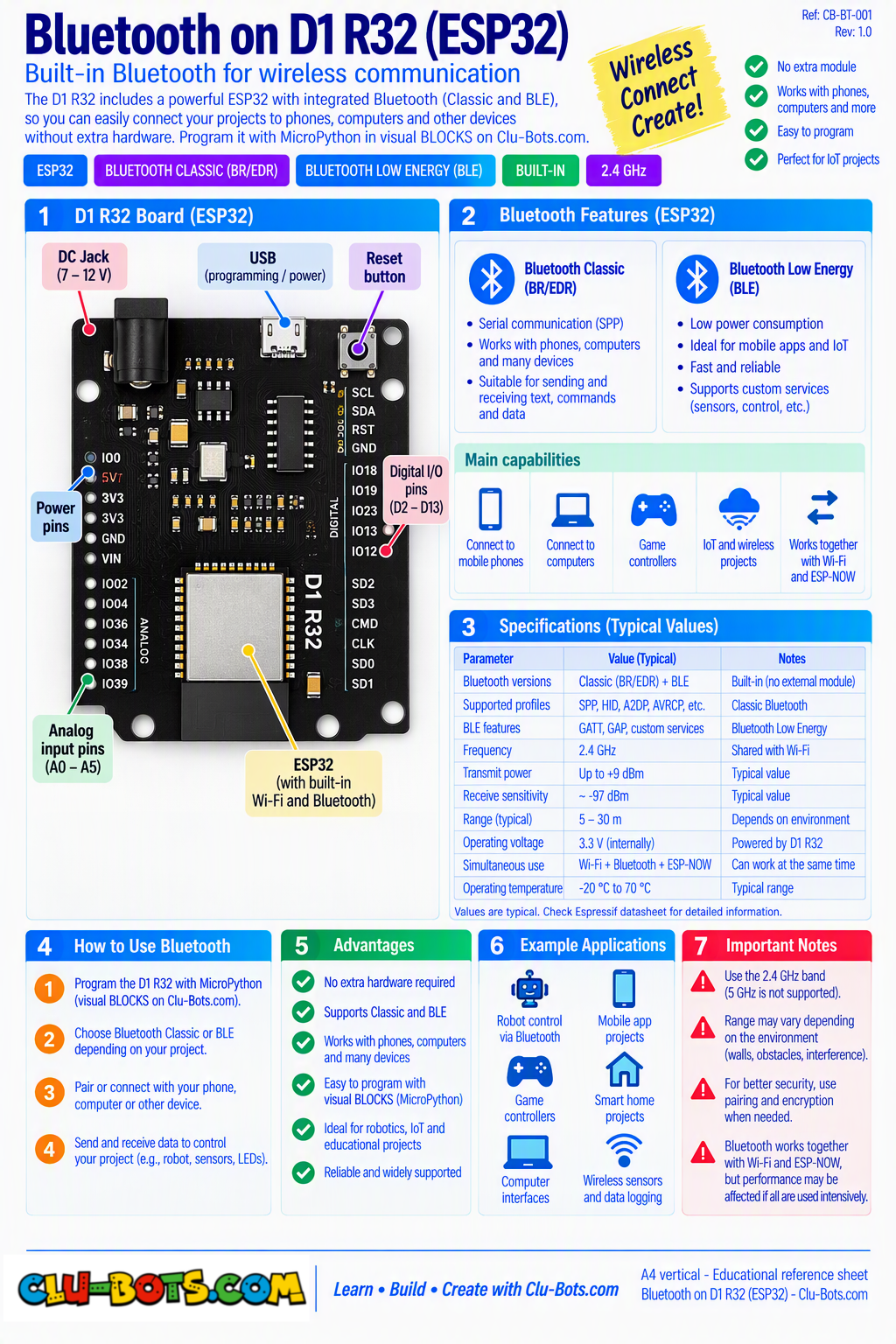
Module Goal: wireless conversation with your phone. The D1 R32 carries Bluetooth inside the board no wiring, no module, just an antenna etched into the circuit. Your robot becomes a device your phone can talk to.
Connect: nothing! The antenna is already on the board. Your phone with a BLE terminal app is the other half of this module (ask your instructor which app your course uses nRF Connect is the usual choice: scan, connect to Clu-Bots, and use its send box).
📦 CONCEPT BOX Advertising, connecting, pipes
Bluetooth Low Energy (BLE) works in three acts:
- Advertising: the robot shouts into the air: "My name is Clu-Bots! Anyone there?" your phone's app sees it in the list of nearby devices.
- Connecting: the phone says "I choose you" a private channel opens between the two.
- Exchanging: both sides write messages into the channel and read what arrives like two tin cans and a string, but with radio.
The robot can BOTH send and receive which means, for the first time, the conversation can start from either side. Notice what this module borrows from your past: advertising is a broadcast (like the Serial print), and connection-watching is the edge-detection pattern you have written six times already.
Goal:
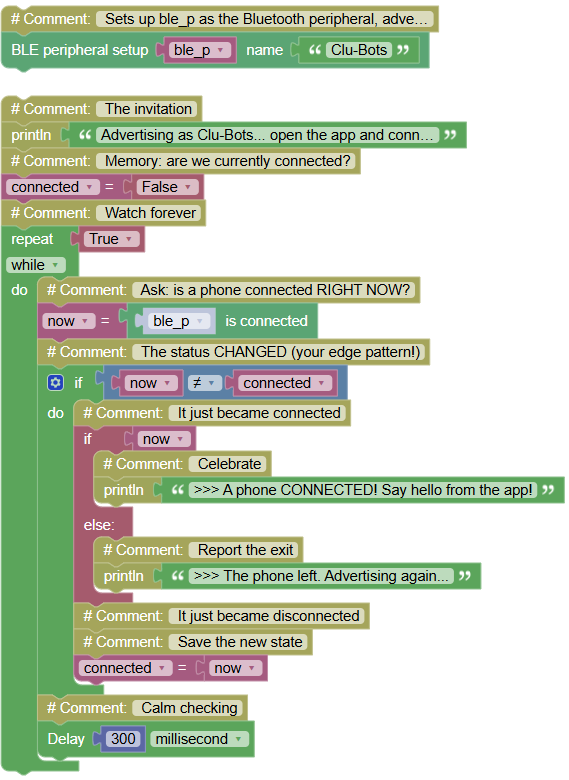
advertise the robot's name and announce every connection and disconnection.
Concepts:
BLE Advertising · Connection Status · Edge Detection
import ble_peripheral	# Controls the Bluetooth peripheral
import time	# Controls pauses and timing

# Sets up ble_p as the Bluetooth peripheral, advertising as Clu-Bots
ble_p = ble_peripheral.BLESimplePeripheral('Clu-Bots')

print("Advertising as Clu-Bots... open the app and connect!")	# The invitation
connected = False	# Memory: are we currently connected?
while True:	# Watch forever
    now = ble_p.is_connected()	# Ask: is a phone connected RIGHT NOW?
    if now != connected:	# The status CHANGED (your edge pattern!)
        if now:	# It just became connected
            print(">>> A phone CONNECTED! Say hello from the app!")	# Celebrate
        else:	# It just became disconnected
            print(">>> The phone left. Advertising again...")	# Report the exit
        connected = now	# Save the new state
    time.sleep_ms(300)	# Calm checking
Serial Monitor:
Advertising as Clu-Bots... open the app and connect!
>>> A phone CONNECTED! Say hello from the app!
>>> The phone left. Advertising again...
💡 Note: your eighth deployment of edge detection and notice it needed ZERO changes for a wireless component: is_connected() gives a true/false, and the pattern does the rest. Invisible technology, familiar skeleton. That is the quiet promise of this course: the patterns survive, only the physics rotates.
🎮 The Heartbeat - SEND

Goal:
the robot sends a message to the phone every 2 seconds the phone becomes your second screen.
Concepts:
BLE Send · Text Building · Two Screens One Data
import ble_peripheral	# Controls the Bluetooth peripheral
import time	# Controls pauses and timing

# Sets up ble_p as the Bluetooth peripheral, advertising as Clu-Bots
ble_p = ble_peripheral.BLESimplePeripheral('Clu-Bots')

count = 0	# The heartbeat counter
print("Waiting for a phone to connect...")	# The invitation
while True:	# Beat forever
    if ble_p.is_connected():	# Only send when someone is listening
        count += 1	# One more heartbeat
        ble_p.send(('Heartbeat ' + count))	# Send the message to the phone
        print("Sent: Heartbeat", count)	# Mirror it on the Serial too
    else:	# Nobody connected
        print("No phone yet...")	# Gentle reminder
    time.sleep(2)	# One beat every 2 seconds
Serial Monitor:
Waiting for a phone to connect...
Sent: Heartbeat 1
Sent: Heartbeat 2
No phone yet...
Sent: Heartbeat 3
💡 Note: str(count) is your Text bridge from the LCD module numbers become text so they can travel inside a message. The same heartbeat now appears in TWO places: your Serial Monitor and your phone's app. Two screens, one data stream the first taste of what real systems do (a sensor feeding a display, a log, AND a dashboard at once).
🎮 The Phone Speaks - RECEIVE

Goal:
type on the phone, and the words appear on your Serial Monitor the robot gains a wireless ear.
Concepts:
BLE Receive · Polling · Message Display
import ble_peripheral	# Controls the Bluetooth peripheral
import time	# Controls pauses and timing

# Sets up ble_p as the Bluetooth peripheral, advertising as Clu-Bots
ble_p = ble_peripheral.BLESimplePeripheral('Clu-Bots')

print("Waiting for messages... type from the app!")	# The invitation
while True:	# Listen forever
    if ble_p.is_connected():	# Only listen while connected
        msg = ble_p.recv()	# Check: any message waiting?
        if msg:	# Something arrived!
            print("Phone says:", msg)	# Show it on the Serial
    time.sleep_ms(200)	# Checking pace
Serial Monitor (messages typed from the phone app):
Phone says: hello robot
Phone says: can you hear me?
Phone says: you are amazing
💡 Note: recv() is a question, not a trap unlike input() (which freezes the program until you type), the robot asks "anything new?" every 200 ms and keeps moving if the answer is no. Polling vs. waiting is a real design decision, and you just used both in one course. If a message prints wrapped like b'hello', the b means the text arrived as bytes the raw costume of wireless data (your text_to_number block knows this family).
🎮 The Polite Echo - EXCHANGE
Goal:
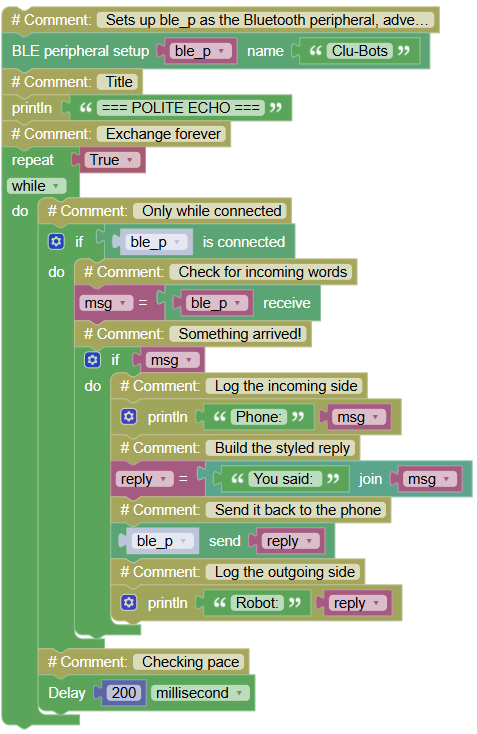
two-way traffic the phone sends a word, the robot answers with a styled reply, both sides see everything.
Concepts:
Receive + Send Combined · Reply Building · Full Duplex
import ble_peripheral	# Controls the Bluetooth peripheral
import time	# Controls pauses and timing

# Sets up ble_p as the Bluetooth peripheral, advertising as Clu-Bots
ble_p = ble_peripheral.BLESimplePeripheral('Clu-Bots')

print("=== POLITE ECHO ===")	# Title
while True:	# Exchange forever
    if ble_p.is_connected():	# Only while connected
        msg = ble_p.recv()	# Check for incoming words
        if msg:	# Something arrived!
            print("Phone:", msg)	# Log the incoming side
            reply = "You said: " + str(msg)	# Build the styled reply
            ble_p.send(reply)	# Send it back to the phone
            print("Robot:", reply)	# Log the outgoing side
    time.sleep_ms(200)	# Checking pace
Serial Monitor:
Phone: ping
Robot: You said: ping
Phone: echo test
Robot: You said: echo test
💡 Note: look at the architecture, not the words in, transform, out. Data arrives, gets dressed up, and travels back. That three-step shape is the skeleton of every server on Earth: your message to a website arrives, gets processed, and a reply comes back. In the next module you will run this exact shape over Wi-Fi.
🎮 The Chatbot

Goal:
a robot with personality over the air the phone asks, the robot answers intelligently: greetings, the time, a joke. Every conversation is logged on the Serial.
Concepts:
Keyword Menu · Response Logic · Uptime via Bluetooth · Complete Synthesis
import ble_peripheral	# Controls the Bluetooth peripheral
import time	# Controls pauses and timing

# Sets up ble_p as the Bluetooth peripheral, advertising as Clu-Bots
ble_p = ble_peripheral.BLESimplePeripheral('Clu-Bots')

print("=== CHATBOT ONLINE ===")	# Title
print("Ask: HOLA, TIME, JOKE")	# The menu (also send it to the phone)
chats = 0	# Counts conversations served
while True:	# Chat forever
    if ble_p.is_connected():	# Only while a phone listens
        msg = ble_p.recv()	# Check for a question
        if msg:	# A question arrived!
            chats += 1	# One more conversation
            text = str(msg)	# Convert to clean text for comparing
            print("Phone asks:", text)	# Log the question
            if text == "HOLA":	# The greeting?
                answer = "Hello human! I am CLU-BOTS."	# Build the answer
            elif text == "TIME":	# The uptime question?
                answer = "Awake for " + str(time.ticks_ms() // 1000) + " seconds."	# The stopwatch inside the answer
            elif text == "JOKE":	# The joke request?
                answer = "Why did the robot go to school? To improve its BYTE!"	# Comedy
            else:	# Anything unknown
                answer = "I only know HOLA, TIME and JOKE."	# The polite refusal
            ble_p.send(answer)	# Deliver the answer to the phone
            print("Robot answers:", answer, "( chat", chats, ")")	# Log the answer
    time.sleep_ms(200)	# Checking pace
Serial Monitor:
=== CHATBOT ONLINE ===
Ask: HOLA, TIME, JOKE
Phone asks: HOLA
Robot answers: Hello human! I am CLU-BOT. ( chat 1 )
Phone asks: TIME
Robot answers: Awake for 94 seconds. ( chat 2 )
Phone asks: PIZZA
Robot answers: I only know HOLA, TIME and JOKE. ( chat 3 )
💡 Note: your Mini-Assistant (Module 1) has been reborn same keyword menu, same else safety net, but the keyboard became a phone across the room. Notice everything recycled: the uptime stopwatch (Module 1), string building, the chat counter. And one honest limitation: Bluetooth reaches about 10 meters, no further. The next module erases that limit with Wi-Fi, your robot can talk to a computer on the other side of the planet.